
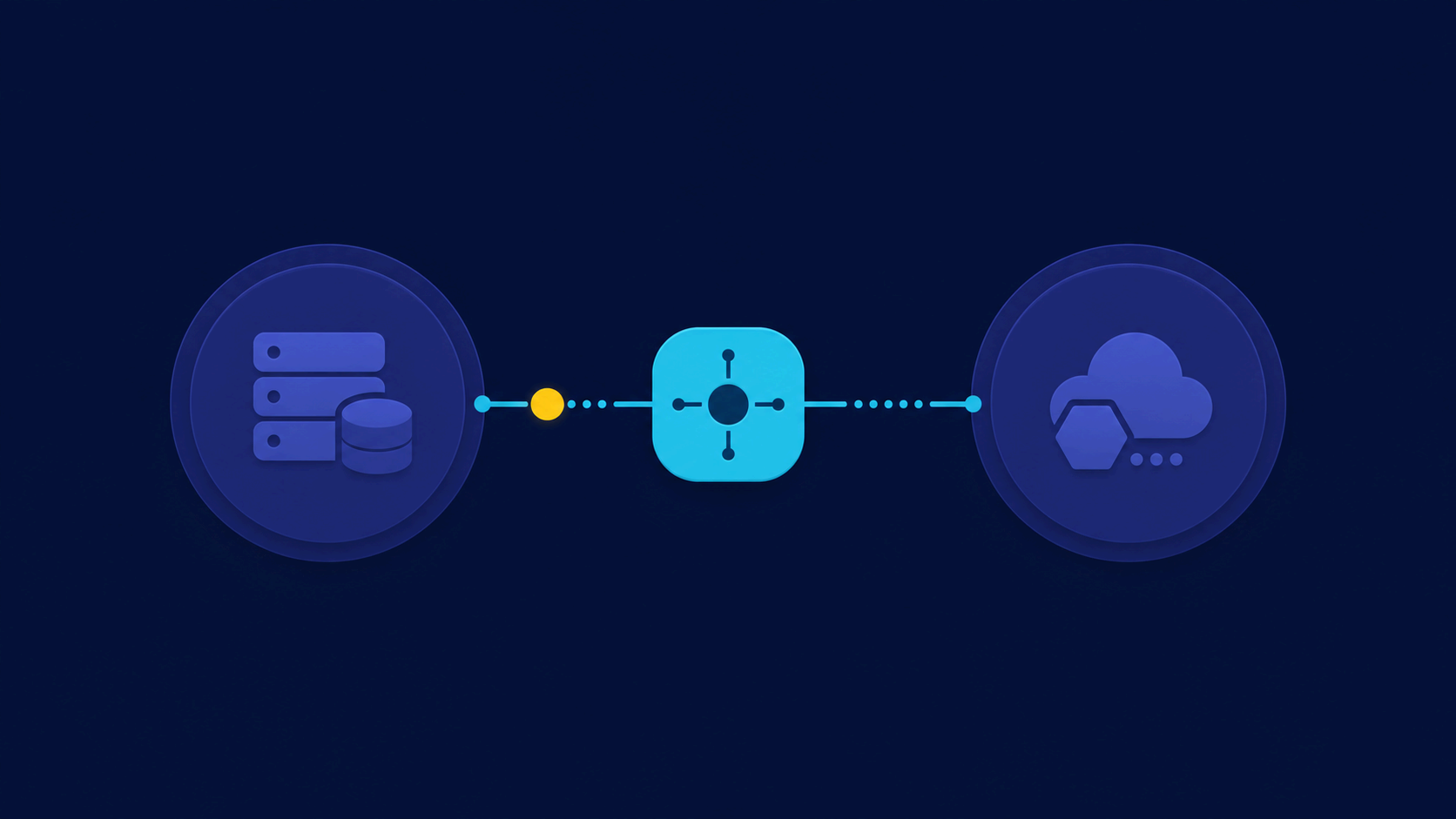
Web scraping is one of the most in-demand skills in today's tech market. With the exponential growth of data available on the internet, the ability to automatically extract information from websites has become essential for data analysts, developers, and business intelligence professionals.
In this complete guide, you'll learn everything from fundamental concepts to advanced web scraping techniques using Python, BeautifulSoup, and Selenium. By the end, you'll have enough knowledge to create your own data extraction bots and apply them to real-world projects.
What is Web Scraping and Why Python?
Web scraping is the process of automatically extracting data from websites. Unlike manual interaction with web pages, scraping allows you to collect large volumes of information in record time. According to Statista, more than 2.5 quintillion bytes of data are created daily, and a significant portion of this data is on websites.
Python has become the standard language for web scraping because of:
- Powerful libraries: BeautifulSoup, Selenium, Scrapy, Requests
- Clear and readable syntax: makes maintenance and learning easier
- Active community: extensive documentation and diverse examples
- Data analysis integration: works perfectly with Pandas and NumPy
According to Python.org, the language is widely used in data science and automation, being the preferred choice of companies like Google, NASA, and Dropbox for automation and data extraction tasks.
Setting Up Your Development Environment
Before you start coding, you need to set up your development environment. Let's install the necessary libraries and prepare the ground for our scraping projects.
Installing the Libraries
The first step is to install the libraries we'll use throughout this guide:
## Install main libraries
pip install requests beautifulsoup4 selenium pandas lxml

## Auxiliary libraries
pip install webdriver-manager fake-user-agent
The Requests library is used to make HTTP requests, while BeautifulSoup serves to parse the returned HTML. Selenium is essential when you need to automate browsers, and Pandas helps organize the collected data into DataFrames for later analysis.
For more information on Python environment setup, check the official Python documentation.
Configuring Selenium
Selenium requires a web driver to work. You'll need to download the driver corresponding to your browser:
- Chrome: ChromeDriver
- Firefox: GeckoDriver
- Edge: EdgeDriver
A simpler alternative is to use webdriver-manager, which automatically downloads the correct driver:
from selenium import webdriver
from webdriver_manager.chrome import ChromeDriverManager
from selenium.webdriver.chrome.service import Service

service = Service(ChromeDriverManager().install())
driver = webdriver.Chrome(service=service)
BeautifulSoup: Extracting Data from Static Pages
BeautifulSoup is the most popular tool for scraping static HTML pages. It transforms chaotic HTML into a navigable Python structure, making it easy to extract specific information.
Making Your First Request
Let's start with a simple example, extracting the title from a web page:
import requests
from bs4 import BeautifulSoup

## Make GET request
url = "https://example.com"
response = requests.get(url)

## Check request status
print(f"Status code: {response.status_code}")

## Parse the HTML
soup = BeautifulSoup(response.text, 'lxml')

## Extract title
title = soup.title.string
print(f"Title: {title}")
The response object contains the entire page content. BeautifulSoup parses this content and creates a tree of Python objects that we can navigate using methods like find(), find_all(), and CSS selectors.
Exploring HTML Structure
To effectively extract data, you need to understand the HTML structure of the target page. BeautifulSoup offers various methods to navigate the document:
## Find first element
first_paragraph = soup.find('p')

## Find all elements of a type
all_paragraphs = soup.find_all('p')

## Find by CSS class
elements = soup.find_all(class_='my-class')

## Find by ID
element = soup.find(id='my-id')

## Use CSS selectors
titles = soup.select('h1')
links = soup.select('a.external')
Practical Example: Extracting Product Data
Let's create a more complete example, simulating the extraction of product information from an e-commerce site:
import requests
from bs4 import BeautifulSoup
import pandas as pd

def extract_products(url):
    headers = {
        'User-Agent': 'Mozilla/5.0 (Windows NT 10.0; Win64; x64) AppleWebKit/537.36'
    }

    response = requests.get(url, headers=headers)
    soup = BeautifulSoup(response.text, 'lxml')

    products = []

    # Assuming each product is in an 'article' element
    for product in soup.find_all('article', class_='product'):
        name = product.find('h3', class_='name').text.strip()
        price = product.find('span', class_='price').text.strip()
        link = product.find('a')['href']

        products.append({
            'name': name,
            'price': price,
            'link': link
        })

    return pd.DataFrame(products)

## Use the function
## df = extract_products('https://example.com/products')
This code demonstrates the basic pattern of any scraping project: make the request, parse the HTML, locate the desired elements, and extract the information in a structured format.
Selenium: Automating Web Browsers
Selenium is the perfect solution when you need to interact with pages that use dynamic JavaScript or require authentication. By controlling a real browser, Selenium can execute all page JavaScript, wait for dynamic loading, and interact with interactive elements.
Initializing the Browser
The basic Selenium setup involves creating an instance of the controlled browser:
from selenium import webdriver
from selenium.webdriver.common.by import By
from selenium.webdriver.support.ui import WebDriverWait
from selenium.webdriver.support import expected_conditions as EC
import time

## Configure Chrome options
options = webdriver.ChromeOptions()
options.add_argument('--headless')  # Run without GUI
options.add_argument('--disable-gpu')
options.add_argument('--no-sandbox')

## Initialize browser
driver = webdriver.Chrome(options=options)

## Open page
driver.get('https://example.com')

## Wait for loading
time.sleep(2)
Interacting with Elements
Selenium allows you to interact with page elements in various ways:
## Click a button
button = driver.find_element(By.ID, 'my-button')
button.click()

## Fill a form
field = driver.find_element(By.NAME, 'email')
field.send_keys('[email protected]')

## Select option in dropdown
from selenium.webdriver.support.ui import Select
dropdown = Select(driver.find_element(By.ID, 'my-dropdown'))
dropdown.select_by_value('option1')

## Scroll the page
driver.execute_script('window.scrollTo(0, document.body.scrollHeight);')

## Take screenshot
driver.save_screenshot('page.png')
Smart Waits
One of the biggest challenges in dynamic scraping is dealing with asynchronous loading. Selenium offers implicit and explicit waits:
from selenium.webdriver.support.ui import WebDriverWait
from selenium.webdriver.support import expected_conditions as EC
from selenium.webdriver.common.by import By

## Wait until element is present
wait = WebDriverWait(driver, 10)
element = wait.until(
    EC.presence_of_element_located((By.ID, 'dynamic-content'))
)

## Wait until element is clickable
button = wait.until(
    EC.element_to_be_clickable((By.CLASS_NAME, 'submit-button'))
)
Explicit waits are preferable because they wait only as long as necessary, avoiding both unnecessary waits and failures from incomplete loading.
Handling Errors and Special Cases
In practice, you'll encounter various challenges: pages that change structure, anti-bot blocks, network errors, and more. Let's learn how to deal with these situations.
Handling Network Errors
Unstable connections are common in scraping. Implementing retries is essential:
import time
from requests.adapters import HTTPAdapter
from requests.packages.urllib3.util.retry import Retry

def make_request_with_retry(url, max_retries=3):
    session = requests.Session()

    # Configure retry strategy
    retry = Retry(
        total=max_retries,
        backoff_factor=1,
        status_forcelist=[500, 502, 503, 504]
    )

    adapter = HTTPAdapter(max_retries=retry)
    session.mount('http://', adapter)
    session.mount('https://', adapter)

    return session.get(url)

## Use the function with exception handling
try:
    response = make_request_with_retry(url)
    response.raise_for_status()
except requests.exceptions.RequestException as e:
    print(f"Request error: {e}")
Detecting and Simulating User-Agents
Many sites detect scrapers by analyzing the User-Agent. Using rotating User-Agents helps avoid blocks:
import random

USER_AGENTS = [
    'Mozilla/5.0 (Windows NT 10.0; Win64; x64) AppleWebKit/537.36',
    'Mozilla/5.0 (Macintosh; Intel Mac OS X 10_15_7) AppleWebKit/537.36',
    'Mozilla/5.0 (X11; Linux x86_64) AppleWebKit/537.36',
]

def get_headers():
    return {
        'User-Agent': random.choice(USER_AGENTS),
        'Accept': 'text/html,application/xhtml+xml,application/xml;q=0.9,*/*;q=0.8',
        'Accept-Language': 'en-US,en;q=0.5',
    }
Working with Proxies
When you need to make many requests or need to change your IP, proxies are useful:
proxies = {
    'http': 'http://proxy1.example.com:8080',
    'https': 'http://proxy2.example.com:8080',
}

response = requests.get(url, proxies=proxies)
Ethics and Legality in Web Scraping
Before starting any scraping project, it's crucial to understand the ethical and legal aspects involved. Not all data can be freely extracted.
Recommended Best Practices
- Respect robots.txt: Check the site's rules before scraping
- Don't overload the server: Add delays between requests
- Identify your bot: Use a descriptive User-Agent
- Use data ethically: Don't violate privacy or copyright
- Consider official APIs: Many sites offer legitimate APIs
The Google Developers provides guidelines on how to work with robots.txt properly.
When is Scraping Legal?
According to digital law experts, scraping is generally acceptable when:
- Data is public and not protected by login
- You don't violate the site's terms of use
- Data is not protected by copyright
- Use is for legitimate, non-commercial purposes
- You don't harm the site's operation
Always consult a specialized lawyer for specific cases, especially in corporate environments.
Practical Project: News Aggregator
Let's create a complete project that aggregates news from different sources. This example demonstrates how to combine BeautifulSoup, error handling, and data storage.
import requests
from bs4 import BeautifulSoup
import pandas as pd
import time
from datetime import datetime

class NewsAggregator:
    def __init__(self):
        self.news = []
        self.headers = {
            'User-Agent': 'NewsAggregator/1.0'
        }

    def fetch_globo(self):
        url = "https://globo.com"
        try:
            response = requests.get(url, headers=self.headers, timeout=10)
            soup = BeautifulSoup(response.text, 'lxml')

            for item in soup.select('.feed-post-link')[:5]:
                self.news.append({
                    'source': 'G1 Globo',
                    'title': item.text.strip(),
                    'link': item['href'],
                    'date': datetime.now()
                })
        except Exception as e:
            print(f"Error fetching Globo: {e}")

    def fetch_uol(self):
        url = "https://uol.com.br"
        try:
            response = requests.get(url, headers=self.headers, timeout=10)
            soup = BeautifulSoup(response.text, 'lxml')

            for item in soup.select('.highlight-link')[:5]:
                self.news.append({
                    'source': 'UOL',
                    'title': item.text.strip(),
                    'link': item['href'],
                    'date': datetime.now()
                })
        except Exception as e:
            print(f"Error fetching UOL: {e}")

    def run(self):
        self.fetch_globo()
        time.sleep(1)  # Respect interval between requests
        self.fetch_uol()

        df = pd.DataFrame(self.news)
        return df.sort_values('date', ascending=False)

## Use the aggregator
aggregator = NewsAggregator()
df_news = aggregator.run()
print(df_news)
This project can be expanded to include more sources, scheduled execution, and database storage. For more inspiration, explore our guide on Python variables and data types.
Storing Extracted Data
After extracting data, you need to store it in an organized way. There are several options:
Saving to CSV
## Save DataFrame to CSV
df.to_csv('extracted_data.csv', index=False, encoding='utf-8')

## Read CSV later
df = pd.read_csv('extracted_data.csv')
Saving to JSON
## Save to JSON
df.to_json('extracted_data.json', orient='records', force_ascii=False)

## Read JSON
df = pd.read_json('extracted_data.json')
Saving to Database
import sqlite3

conn = sqlite3.connect('news.db')
df.to_sql('news', conn, if_exists='replace')
conn.close()

## Read from database
conn = sqlite3.connect('news.db')
df = pd.read_sql('SELECT * FROM news', conn)
For more complex projects, you can use PostgreSQL or MongoDB. Python integrates perfectly with these databases through libraries like psycopg2 and pymongo.
Advanced Tips to Optimize Your Scrapers
Now that you know the basics, here are some tips to elevate your scraping skills:
Using Scrapy for Large Projects
For projects requiring high performance and industrial-scale crawling, Scrapy is the best option. It's a complete scraping framework with:
- High-performance asynchronous requests
- Middleware to process requests and responses
- Pipelines to process and save data
- Automatic rate limiting
- Support for Cookies and sessions
To learn Scrapy, visit the official Scrapy documentation.
Using Alternative APIs
Many sites offer public or private APIs that are more stable than scraping:
import requests

## Example of API usage
api_url = "https://api.example.com/data"
response = requests.get(api_url, headers={'Authorization': 'Bearer TOKEN'})
data = response.json()
Monitoring and Maintaining Your Scrapers
Websites change frequently. To keep your scrapers running:
- Implement logs to track errors
- Create alerts for unexpected failures
- Document the structure of target sites
- Test your scrapers regularly
- Maintain reserves on CSS/XPath selectors
Conclusion
Web scraping with Python is a powerful skill that opens doors to countless possibilities. In this guide, you learned from basic concepts to advanced data extraction techniques.
Summary of what we covered:
- BeautifulSoup: Ideal for static HTML pages
- Selenium: Perfect for pages with dynamic JavaScript
- Error handling: Essential for robust scrapers
- Ethics: Always respect terms of use and best practices
- Storage: CSV, JSON, or databases
Keep practicing and exploring new techniques. To deepen your Python knowledge, check out other blog posts like Python lists and Python functions.
Remember: with great power comes great responsibility. Use your scraping skills ethically and responsibly!